
Why an SSL Certificate is Important for Your WordPress Site
If you own a WordPress website, you’ve probably heard the term SSL certificate before. But what exactly is it, and why is it so important for your website? In today’s digital world, website security isn’t just a luxury—it’s a necessity. SSL certificates help keep your site secure and trusted by visitors, and they even improve your visibility in search engines. In this blog, we’ll break down what an SSL certificate is, why it’s essential for your WordPress site, how to install it, and what to do if you face issues. What is an SSL Certificate? SSL (Secure Sockets Layer) is a security protocol that encrypts the data transferred between a website and its visitors. When your website has an SSL certificate, all information exchanged—like passwords, personal details, or payment data—is securely encrypted. You can tell a site has SSL if its URL begins with “https://” instead of just “http://”. You’ll also notice a small padlock icon next to the web address in most browsers. These small changes signal to visitors that your site is secure and trustworthy. Why SSL is Important for WordPress Sites 1. Secures Data Transfer Whether you’re running a personal blog or a full-fledged eCommerce store, your site likely handles sensitive data. This could include usernames, passwords, email addresses, or even payment details. Without SSL, this information is transferred in plain text, making it easy for hackers to intercept and misuse it. With SSL, data is encrypted, which protects your visitors and boosts your site’s integrity. 2. Builds Trust with Visitors Today’s internet users are more cautious than ever. If your site shows a “Not Secure” warning in the address bar, it immediately discourages visitors from interacting with your content, submitting forms, or making purchases. An SSL certificate reassures users that your site is safe to use. That padlock icon can be the difference between someone bouncing off your site or becoming a loyal visitor. 3. Improves SEO Rankings Did you know that Google considers HTTPS a ranking factor? In fact, back in 2014, Google officially announced that SSL would contribute to search engine rankings. While it may not be the single biggest ranking factor, SSL can give you a small but important edge over competitors who don’t have it. More visibility means more traffic, and more traffic means more opportunities for engagement or sales. 4. Essential for Online Payments If your WordPress site has an online store or accepts donations, SSL is non-negotiable. To be PCI DSS compliant (Payment Card Industry Data Security Standard), you must have an SSL certificate. Without SSL, your payment gateway may refuse to work, or worse, you may put your customers at risk. Having a secure checkout process builds trust and helps you avoid legal issues. 5. Protects Against Cyber Threats The internet is full of threats—phishing attacks, malware, data theft, and man-in-the-middle attacks are just a few of the common ones. SSL helps defend your site by encrypting communication and verifying that visitors are actually connected to the legitimate version of your site—not a fake version created by attackers. How to Install an SSL Certificate on Your WordPress Site Installing an SSL certificate isn’t as complicated as it sounds. Here are a few ways to do it: ✅ Free SSL Certificates (Let’s Encrypt) Many popular web hosting providers like Bluehost, SiteGround, and Hostinger offer free SSL certificates through Let’s Encrypt. These can usually be activated with one click from your hosting dashboard. ✅ Paid SSL Certificates If you need higher-level validation (for example, Extended Validation SSL), you can purchase a premium certificate from providers like Comodo, DigiCert, or GoDaddy. These often come with a warranty and more advanced features. ✅ Use a Plugin (Really Simple SSL) WordPress users can also install the “Really Simple SSL” plugin. It automatically detects your SSL certificate and redirects all traffic from HTTP to HTTPS. Common Issues and How to Fix Them Once you install SSL, you might encounter a few minor problems. Don’t worry—most are easy to fix. Mixed Content Warnings This happens when some resources (like images or scripts) are still loaded via HTTP, even though your site is on HTTPS. You can fix this by updating the links manually or using a plugin like Better Search Replace to fix all URLs in your database. Forcing HTTPS Redirection To make sure all your site traffic uses HTTPS, you need to force redirection. You can do this via your .htaccess file or through your hosting provider’s dashboard. Plugins like Really Simple SSL also handle this automatically. ⚠️ Plugin Conflicts Sometimes, certain plugins might not be fully compatible with HTTPS. In such cases, check the plugin documentation or look for alternatives that support SSL. Final Thoughts An SSL certificate is no longer optional—it’s a must-have for every WordPress website. It secures your visitors’ data, builds trust, improves your SEO, and is essential for any kind of online transaction. With so many free and easy options available, there’s no reason not to secure your site today. If you haven’t installed an SSL certificate yet, now is the perfect time to take action. Need A Website Or Web Design & Development Services? Contact Us Today.
Top 5 Reasons Why Your Website Needs a Redesign
Your website is more than just a digital business card — it’s your 24/7 salesperson. And just like fashion trends and technology, websites also need updates to stay fresh, functional, and competitive. In this post, we’ll break down the top 5 reasons why your website might need a redesign, plus we’ll explore the benefits, how redesigns can boost your sales, and how to redesign the right way. Why a Good Website Is Important for Your Business In today’s digital age, your website is often the first impression customers have of your business. When someone searches your name on Google, your website is usually the first thing they see. So it’s more than just design — it’s a key part of your brand, credibility, and sales strategy. A professional, fast, and user-friendly website helps your business in many ways: ✅ Attracts new customers ✅ Showcases your services or products clearly ✅ Builds trust and credibility ✅ Keeps you competitive in the online market ✅ Helps generate leads and boost sales Top 5 Reasons It’s Time to Redesign Your Website If you’re not sure whether your website needs a makeover, here are five clear signs to look out for. These issues can silently affect your traffic, user experience, and sales — and fixing them with a redesign can make a huge difference. 1. Outdated Design and Poor User Experience First impressions are everything. If your website looks like it was built a decade ago, users might not take your business seriously. A cluttered layout, poor color choices, or old fonts can turn visitors away before they even read a word. Modern websites are clean, intuitive, and easy to navigate. A redesign can help you align your site with current trends and provide a smoother experience that keeps visitors engaged. 2. Not Mobile-Friendly More than half of internet users browse from mobile devices. If your website doesn’t adjust properly to different screen sizes, you’re likely losing visitors — and potential customers. Mobile responsiveness isn’t just about looks — it affects how users interact with your content, and it plays a big role in SEO too. Google prioritizes mobile-friendly websites in search results. 3. Slow Loading Speed Nobody likes to wait. A slow-loading website can cost you traffic, conversions, and search engine visibility. Factors like outdated code, uncompressed images, and bloated plugins can cause delays. A redesign helps optimize performance, streamline the backend, and improve the overall loading speed of your site. 4. Low Conversion Rates If your website traffic is decent but conversions are low, the problem may lie in your design. Maybe your calls-to-action (CTAs) aren’t visible, or users are getting lost in cluttered pages. With a redesign, you can optimize the layout, user journey, and CTA placements to improve engagement and drive action. 5. Hard to Update or Maintain Websites that require developers for every little change slow down your business. A modern CMS (like WordPress) allows you to make updates easily — even without tech knowledge. A redesign can also ensure your website is secure, scalable, and future-proof. Read More: Why Custom Website Design is Essential for Modern Brands Benefits of a Website Redesign A fresh and modern look that builds trust Improved user experience and navigation Faster loading time = better engagement Mobile-friendly design for all devices SEO optimization for higher Google rankings More control over content and updates Increased leads and sales How a Website Redesign Can Boost Sales A user-friendly site keeps visitors longer and encourages them to take action Better CTAs = more clicks, inquiries, and purchases Fast, mobile-optimized sites convert more effectively Professional design builds credibility and trust SEO improvements bring in more organic traffic (your best buyers) How to Redesign the Right Way Set clear goals: Know what you want to improve — speed, sales, branding, etc. Do a site audit: Check what’s working and what’s not Focus on users: Make the site easy to use, not just pretty Hire professionals: Work with a skilled designer or agency Test everything: Speed, mobile view, CTA performance, and more Keep SEO in mind: Don’t lose rankings during the redesign Final Word If your website feels outdated, slow, or hard to manage — don’t ignore the signs. A smart, strategic redesign can help your business look more professional, rank higher on Google, and most importantly — convert more visitors into customers. Need help upgrading your website? We specialize in designing websites that don’t just look great — they deliver results. Contact us today for a free consultation or website audit.
7 Game Changing Web Design Trends for 2025
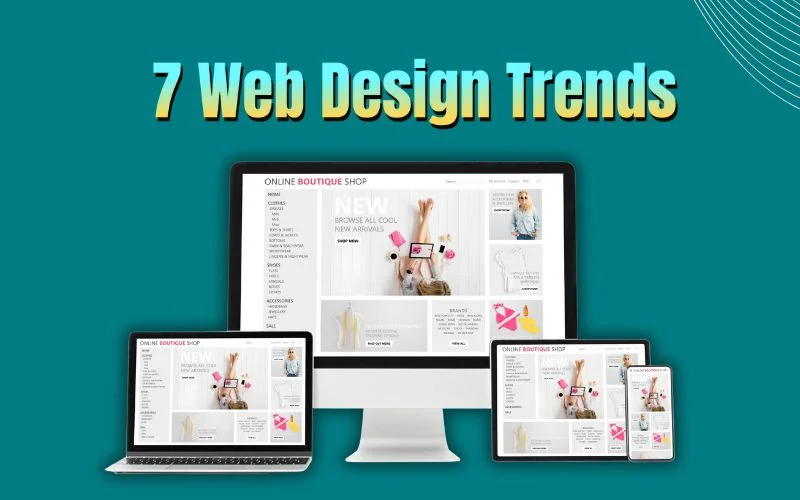
As we move into 2025, web design is changing faster than ever. New trends are bringing fresh ideas to how websites look and work, making them more user-friendly, interactive, and even eco-friendly. Whether you’re a website owner, a designer, or just someone curious about the future of the web, it’s important to stay up-to-date with these trends. In this blog, we’ll dive into the Top 7 Web Design Trends for 2025 that will help websites stand out and perform better. Let’s explore how these trends can take your website to the next level! The Ever-Evolving World of Web Design Web design isn’t just about looking good—it’s about delivering a seamless experience that connects users to your brand. As technology advances, user behavior changes, and competition grows, staying current with design trends becomes more important than ever. In 2025, we’re entering a new era where personalization, interactivity, and sustainability take the lead. Why Keeping Up with Trends Matters A modern, well-designed website increases engagement, improves SEO, builds trust, and boosts conversions. Ignoring trends could mean losing users to competitors with more dynamic, intuitive websites. Let’s explore the 7 biggest web design trends you’ll see in 2025—and how they can transform your digital presence. Top 7 Web Design Trends for 2025 As technology continues to evolve, so does the world of web design. The trends that worked in the past are being replaced by more innovative, user-friendly, and visually exciting ideas. Here is 7 trends for 2025: 1. AI-Driven Personalization Artificial Intelligence is taking center stage in web design. In 2025, websites will use AI to analyze user data in real-time and offer customized content, product suggestions, and layouts based on individual preferences. This creates a more engaging, efficient, and satisfying experience for every visitor. 2. 3D and Immersive Visuals Flat design is making room for depth and interaction. Expect to see 3D product models, interactive environments, and virtual tours becoming standard in industries like eCommerce, real estate, and education. These immersive visuals help users connect with products and experiences in a whole new way. 3. Micro-Interactions and Motion Effects Micro-interactions—small, animated responses to user actions—will become more refined in 2025. From button hovers to scrolling effects, these animations guide users and create delightful, interactive moments that improve usability and keep people engaged longer. 4. Minimalism with Bold Typography Less is still more—but bold is back. Clean layouts paired with oversized typography and custom fonts are taking over. Designers are using powerful, visual words to grab attention and make a statement, especially in hero sections and headlines. 5. Dark Mode with Neon Accents Dark mode continues to dominate but now with a stylish twist. Bright neon gradients, glowing elements, and vibrant color pops are being layered over dark backgrounds to create visually striking, futuristic interfaces that appeal to modern users. 6. Voice-Activated Interfaces With the rise of voice assistants, websites are beginning to adopt voice navigation and voice search. This trend not only enhances accessibility for all users but also opens the door to new kinds of user interaction—fast, intuitive, and hands-free. 7. Sustainable and Green UX Design Eco-conscious design is more than a buzzword—it’s becoming a responsibility. In 2025, expect to see lightweight websites that use less energy, optimized assets for faster loading, and cleaner code. Green UX design not only improves performance but also aligns with users’ values. Read Also: Top 5 Reasons Why Your Website Needs a Redesign ✅ How to Choose the Right Trend for Your Brand Don’t chase trends blindly. Evaluate your brand, audience, and goals. Choose the trends that enhance your message and user experience. The best websites in 2025 won’t follow all the trends—they’ll use the right ones in the smartest ways. ⚙️ Tools to Help You Stay Ahead Want to bring these trends to life? Try tools like: Webflow – for responsive, no-code design Figma – for team collaboration and prototyping Framer – for motion-based design ChatGPT – for fast content creation Midjourney – for generating on-trend visuals These platforms can help you build future-ready websites with ease. Final Word 2025 will be about smarter, cleaner, and more meaningful web design. Whether you’re a designer, developer, or business owner, embracing these trends now will keep your digital presence fresh, functional, and ahead of the competition. Need A Website Or Web Design & Development Services? Contact Us Today.
7 Powerful WordPress Plugins for Speed, SEO & Security
In today’s digital world, having a fast, secure, and SEO-friendly website is more important than ever. If your WordPress site takes too long to load, ranks poorly on Google, or isn’t protected from hackers, you’re at risk of losing traffic, trust, and potential customers. The good news? You don’t need to be a developer to fix these issues. There are powerful WordPress plugins designed to optimize your site’s speed, boost SEO, and strengthen security — all in just a few clicks. Let’s dive into how these three factors affect your site and explore 7 top plugins that can help you improve in every area. Why Speed, SEO & Security Matter for Your WordPress Site Speed: Website speed affects user experience and SEO rankings. A slow-loading site can frustrate visitors and cause them to leave before the page even loads. Google also uses page speed as a ranking factor, meaning a faster site can lead to better search visibility. SEO (Search Engine Optimization): SEO is key to driving free, organic traffic from search engines. Proper use of keywords, metadata, sitemaps, and schema markup can boost your visibility and get your content in front of the right audience. Security: WordPress is a popular platform, which makes it a common target for cyberattacks. Without the right security measures, your site could be vulnerable to malware, data theft, or even getting blacklisted by search engines. That’s why installing the right plugins can give your site the performance, protection, and search engine love it needs to grow. 7 Powerful WordPress Plugins for Speed, SEO & Security Here are 7 of the most effective and widely-used WordPress plugins that target these three essential areas: WP Rocket – For Site Speed Optimization WP Rocket is a premium caching plugin that makes your website load faster by creating static versions of your pages. It comes with built-in features like page caching, browser caching, GZIP compression, and lazy loading of images. Key Benefits: Instantly improves load time No technical skills needed Includes database optimization and CDN support Smush – For Image Optimization & Lazy Loading Images often slow down websites. Smush compresses and resizes your images without reducing quality. It also supports lazy loading, which delays loading images until users scroll to them — reducing initial page load time. Key Benefits: Compresses images automatically Saves storage and bandwidth Improves speed on image-heavy pages Yoast SEO – For SEO Management & On-Page Optimization Yoast is one of the most popular SEO plugins for WordPress. It helps you optimize each page and post by analyzing content for keywords, readability, meta tags, internal linking, and more. Key Benefits: SEO analysis and suggestions Automatically generates XML sitemaps Easily manage title and meta descriptions Rank Math – For Advanced SEO & Schema Integration Rank Math is an all-in-one SEO plugin that’s lightweight and beginner-friendly. It includes rich snippet support (schema), redirections, 404 monitoring, and integrates with Google Search Console. Key Benefits: Schema markup for rich results Modular features for flexibility Smart automation for faster SEO setup Wordfence Security – For Firewall & Malware Protection Wordfence offers a robust firewall, malware scanner, and login security features. It monitors your site for suspicious activity and blocks known threats in real-time. Key Benefits: Real-time threat defense feed Malware scanner and IP blocking Detailed security reports and email alerts Loginizer – For Login Protection & Security Hardening Brute-force attacks are common on WordPress login pages. Loginizer protects your site by limiting login attempts, blocking IPs, and enabling two-factor authentication. Key Benefits: Prevents brute-force attacks IP blocking and whitelisting Supports reCAPTCHA and 2FA LiteSpeed Cache – For Advanced Caching and Performance Boost If your web host supports LiteSpeed servers, this free plugin is a powerhouse. It offers page caching, image optimization, database cleanup, and CDN integration for maximum speed. Key Benefits: All-in-one performance tool Server-level caching for faster speeds Supports QUIC.cloud CDN How to Choose the Right Plugins for Your Website With thousands of WordPress plugins available, it’s important to choose ones that are reliable, well-supported, and compatible with your current setup. Here are a few tips: Know Your Goals: If you’re running an eCommerce site, prioritize security and speed. If you’re blogging, focus more on SEO and readability tools. Avoid Plugin Bloat: Too many plugins can slow your site down and create compatibility issues. Stick to high-quality, multipurpose plugins when possible. Check Reviews and Updates: Only install plugins that are regularly updated and have strong reviews. This reduces the risk of bugs or vulnerabilities. Test Before and After: Use tools like GTmetrix, Google PageSpeed Insights, and Google Search Console to measure improvements after installing each plugin. Final Thoughts Improving your WordPress website’s speed, SEO, and security doesn’t have to be complicated. With the right combination of powerful plugins like WP Rocket, Yoast SEO, and Wordfence, you can enhance your site’s performance, climb up search rankings, and keep hackers at bay. Start by installing just a few of the plugins listed above and track your results. A faster, safer, and more search-friendly website is just a few clicks away. Need A Website Or Web Design & Development Services? Contact Us Today.
SEO in 2025: What’s Changed and What Still Works
Search Engine Optimization (SEO) has always been a fast-evolving field. What worked five years ago might not be relevant today. As we step into 2025, SEO continues to adapt to changes in search algorithms, user behavior, and technology. But while some strategies have evolved, others remain just as powerful as ever. In this blog, we’ll explore what has changed in SEO in 2025—and what still works like a charm. What’s Changed in SEO in 2025? AI-Powered Search Is Dominating One of the biggest changes in SEO in 2025 is the dominance of AI-powered search engines. Google’s Search Generative Experience (SGE) and similar tools from Bing and other engines are now using AI to generate more personalized and direct answers to user queries. What This Means: Traditional ranking for simple questions has decreased. Content must now provide deeper, more insightful information. Structured data and clear context are more important than ever for getting featured in AI-generated snippets. Voice and Visual Search Have Grown With the rise of smart assistants, wearable tech, and visual search tools, users are searching differently. How It Impacts SEO: Keywords are now more conversational. Long-tail, natural-language phrases are crucial. Optimizing images with proper alt text, file names, and structured data improves visibility in visual search. Local SEO benefits greatly from voice search as users search “near me” more frequently. User Experience (UX) Is a Major Ranking Factor Search engines have placed more emphasis on UX signals like: Page speed Mobile-friendliness Interaction design Core Web Vitals Sites that provide smooth, fast, and easy navigation now have a ranking advantage. A great-looking site isn’t enough—it must also perform well. Zero-Click Searches Are Common Many users now get answers without ever clicking a link. Google’s AI often shows answers directly on the search page. SEO Tip: To adapt, optimize content for featured snippets, FAQs, and schema markup. Also, make your brand visible and trustworthy so users click when they need more. Search Intent Has Become More Refined Google and other search engines are better at understanding what users really want. That means content that doesn’t meet the intent (informational, navigational, or transactional) won’t rank well—even if it’s keyword-optimized. Read More: 7 Game Changing Web Design Trends for 2025 What Still Works in SEO (and Always Will) While many things have changed, some fundamental SEO practices continue to deliver strong results. High-Quality Content Is Still King Google still loves fresh, relevant, and high-quality content. Writing for humans first—while keeping search engines in mind—is the golden rule. What to Focus On: Solve a real problem. Use clear, engaging language. Include up-to-date stats, visuals, and internal links. Structure your content with headers and bullet points for readability. Backlinks Still Matter Yes, backlinks are still a major ranking factor in 2025. Google sees backlinks as a vote of trust and authority. Tips to Earn Backlinks: Create share-worthy content (guides, research, case studies). Guest blog on reputable sites. Build relationships within your niche for collaboration and mentions. Keyword Research Is Alive and Well Even with AI, search engines still rely on keywords to understand content. But the focus is now more on: Semantic keywords Long-tail phrases Context over exact match Use tools like Ahrefs, SEMrush, or Google Keyword Planner to find keywords that reflect user intent. Mobile Optimization Is Non-Negotiable Mobile-first indexing is here to stay. With over 70% of web traffic coming from mobile devices, Google prioritizes mobile-optimized content. Make sure your site: Loads fast on mobile Has easy navigation Doesn’t use intrusive pop-ups Has legible fonts and buttons Technical SEO Still Forms the Foundation No matter how good your content is, if your website is slow or poorly structured, you’ll struggle to rank. Stay on top of: Site speed XML sitemaps Canonical URLs HTTPS security Clean URL structure Internal linking Regular tecnical audits are a must in 2025. Final Thoughts SEO in 2025 is a blend of the old and the new. AI has changed how people search and how results are delivered, but core principles like quality content, backlinks, and good site structure remain essential. To succeed in SEO today: Stay informed on search engine updates. Focus on user intent and experience. Embrace new tools like AI, voice, and visual search. Keep creating valuable, engaging content. Remember, SEO isn’t about tricking Google—it’s about helping users. The more useful your content is, the better your chances of ranking and staying on top in this competitive digital world. Need help with your SEO strategy in 2025? Whether you’re a small business or an established brand, staying ahead in the SEO game requires consistent effort and smart planning. Reach out today and let’s grow your visibility together!
Key Elements of an Eye-Catching Website Design
Your website is often the first impression people have of your business. In a digital world full of options, a dull or outdated design can instantly turn visitors away. That’s why having an eye-catching website design isn’t just about looks—it’s about attracting attention, building trust, and encouraging action. Whether you’re launching a new website or revamping an old one, here are the key elements that make a website design stand out and leave a lasting impact on your audience. Why First Impressions Matter in Web Design Visitors form an opinion about your website within seconds. If the design looks outdated, cluttered, or unprofessional, they’re likely to leave without exploring further. A clean, modern, and visually appealing website immediately builds trust and credibility. It shows that your brand values quality and user experience, encouraging visitors to stay longer and engage more deeply with your content. Key Elements of Website Design 1. Clean and Modern Layout A clean layout helps users focus on your content without feeling overwhelmed. Cluttered designs with too many elements, fonts, or colors confuse visitors. A modern design uses space wisely, guides the user’s eye, and creates a comfortable browsing experience. ✅ Tips: Use a grid system for alignment Stick to 2–3 primary colors Avoid too many animations or pop-ups 2. Strong Visual Hierarchy Visual hierarchy is how you guide visitors through your site. It tells them what’s important—whether it’s your headline, a call-to-action button, or a product image. ✅ Tips: Use large, bold headlines Highlight CTAs with contrasting colors Make sure important elements are above the fold 3. High-Quality Imagery Images have power. They can evoke emotion, explain products, and make your site feel professional. Low-quality or generic stock photos can ruin even the best design. ✅ Tips: Use original images or high-res stock photos Optimize images for fast loading Maintain consistent style and tone 4. Responsive Design Your website should look great and work smoothly on all devices—phones, tablets, and desktops. More than half of web traffic comes from mobile, so responsive design is no longer optional. ✅ Tips: Test your site on different screen sizes Use mobile-friendly fonts and button sizes Make sure navigation is touch-friendly 5. Clear Navigation If users can’t find what they’re looking for in a few seconds, they’ll leave. Clear, simple navigation helps users move through your site easily. ✅ Tips: Use a visible top menu with clear labels Keep menus short and organized Add a search bar for larger sites 6. Consistent Branding Your website should reflect your brand’s personality. Fonts, colors, tone of voice, and imagery should all align with your overall branding. ✅ Tips: Use brand colors and typography consistently Keep tone and messaging aligned with your brand values Add your logo in the header and favicon 7. Engaging Call-to-Actions (CTAs) Every page should encourage the user to take an action—whether it’s signing up, making a purchase, or getting in touch. CTAs should be clear, visible, and persuasive. ✅ Tips: Use action-oriented language (e.g., “Get Started”, “Book a Call”) Place CTAs strategically throughout your site Make buttons stand out visually 8. Fast Loading Speed No one wants to wait for a slow website. A delay of even 2–3 seconds can increase bounce rates significantly. An eye-catching site must also be fast and smooth. ✅ Tips: Optimize images and media Minimize unnecessary scripts and plugins Use reliable hosting and caching 9. Accessible Design An inclusive website reaches more people and improves usability. Eye-catching doesn’t just mean visual appeal—it also means easy for everyone to use. ✅ Tips: Use readable fonts and proper contrast Add alt text to images Make sure the site can be navigated by keyboard 10. Interactive Elements Small touches of interactivity can make your site more engaging. Think hover effects, animations, micro-interactions, or sliders. ✅ Tips: Use subtle animations that enhance UX Add hover effects to buttons or images Avoid overdoing it—too much can slow your site down The Role of Website Design in Conversions An attractive website captures attention, but its true purpose is to convert visitors into customers. Effective design guides users smoothly toward desired actions, like signing up, purchasing, or contacting you. Key factors such as clear calls-to-action, easy navigation, fast load times, and trust signals all improve conversion rates. When your website design aligns with your business goals, it becomes a powerful tool that drives real results. Final Word An eye-catching website design is a balance of beauty, usability, and performance. It’s not about adding flashy elements—it’s about creating an experience that feels intuitive, attractive, and aligned with your brand. When done right, good design doesn’t just make your site look better—it makes it work better. If you want your website to stand out, start by focusing on the essentials listed above.